![Unific-Logo-Purple-1.svg]](https://help.unific.com/hubfs/Unific-Logo-Purple-1.svg)
Problem
You need to determine which connected system or integration originally imported a record so you can trace its origin and investigate synchronization behavior.
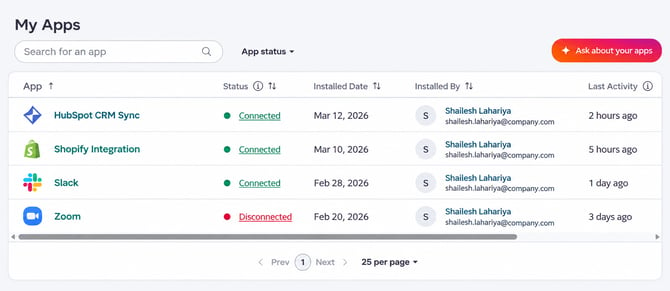
- A record exists in HubSpot, but its originating system is unclear.
- Multiple integrations or portals may be contributing data.
- You need to confirm whether a record was imported through Unific or another connected source.
- Access to the relevant HubSpot record.
- Permission to view the record’s properties and activity history.
Step 1: Open the record
In HubSpot, open the contact, company, deal, product or other record whose origin you want to verify.
Expected result: The record details page opens and displays the record’s properties and activity timeline.
Step 2: Review the record properties
Open the record’s property details and look for source-related fields, such as the record source, original traffic source or Sync id.
Review both the current value and the property history when available. History can show which integration populated or changed the value.
Expected result: A source value identifies the application, integration, or import process associated with the record.
Step 3: Check the activity timeline
Review the record’s activity timeline for import, synchronization, or integration events. Expand relevant events to see additional details about when the data was created or updated.
Expected result: Timeline activity provides supporting evidence for the source identified in the record properties.
Step 4: Compare the source with connected integrations
Compare the source value with the integrations connected to the HubSpot portal. If multiple Magento stores, Unific connections, or other applications are configured, use the source details and event timestamps to determine which connection supplied the data.
Expected result: The record can be associated with the correct originating integration or connected system.
Verification
Confirm the source by checking that the identified integration matches the record’s data, creation time, and synchronization activity. If the source is still unclear, capture the record ID and relevant property history before escalating the investigation to the integration administrator or support team.
Preventive Guidance- Maintain clear names for connected integrations and source systems.
- Document which portals or stores are connected to each HubSpot portal.
- Review source-related properties and synchronization activity when investigating duplicate or unexpected records.
- Use consistent integration naming so future record-origin investigations are easier.
Using the record’s source properties together with its activity history provides the most reliable way to trace where imported data originated.