![Unific-Logo-Purple-1.svg]](https://help.unific.com/hubfs/Unific-Logo-Purple-1.svg)
There are many reasons you may want to disconnect your integration, the process is simple and straightforward.
There are 2 things you can do, first, you can pause the sync for any reason easily without fully disconnecting.
This will help you avoid reconnection in the future. It will however cause a pause on the data that is moving into HubSpot.
You can turn it back on whenever you need. In order to do so follow this steps:
1. Go to your Unific portal and find the green LIVE SYNC toggle.
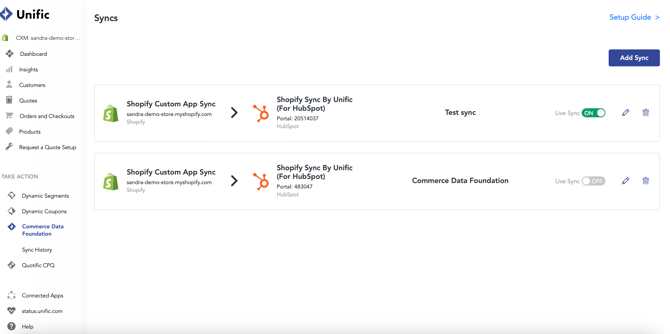
2. Turn it ON/OFF.
If however, what you want is to fully disconnect your SYNC the easiest way is to navigate to your HubSpot settings and find the SYNC in the connected apps. Follow this steps.
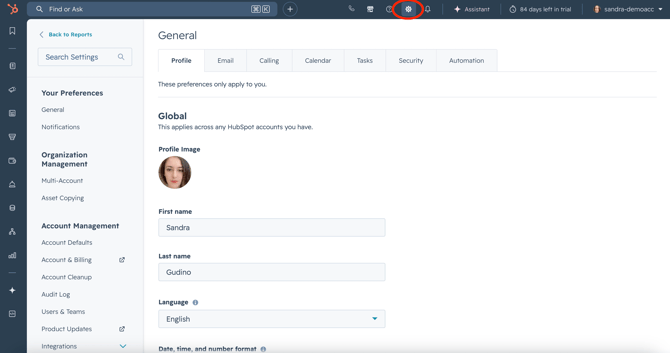
1. Go to your HubSpot portal and settings.
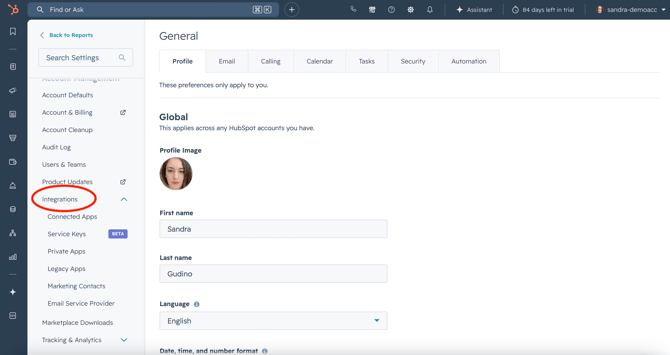
2. On the left handsome, find the integrations menu.
3. Navigate to Connected Apps.
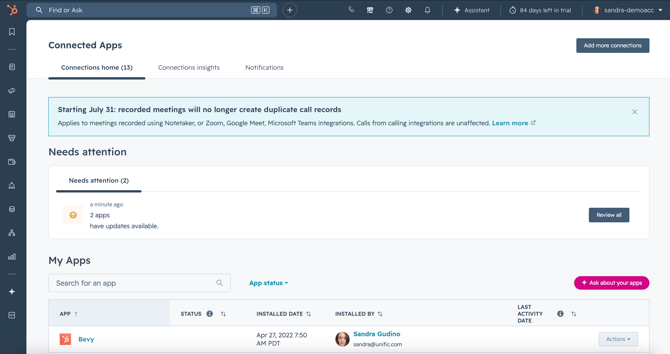
4. Find the Shopify Sync by Unific and navigate to the action button on the far right.
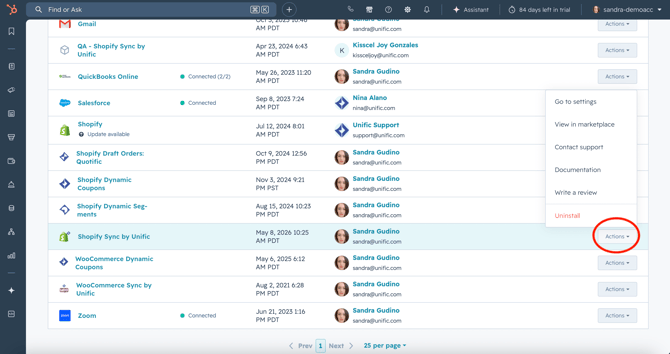
5. Choose Uninstall as the action and follow the prompts in the pop up.
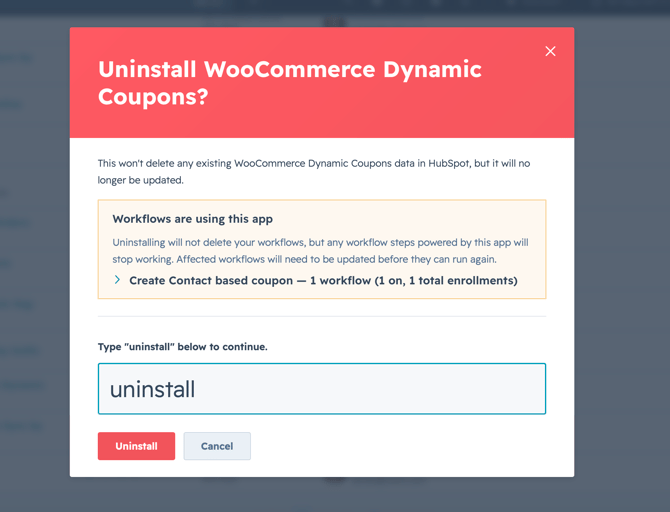
6. That's it! You've successfully disconnected The Commerce Data Foundation.